Showing posts with label Google OAuth. Show all posts

Tuesday, June 23, 2026

Challe Activity app for iOS: Google OAuth Consent Screen: Incorrect App Name of project-837812025812

 iOS 26.5.1

Challe Activity app for iOS (version 1.3.30)


06/23/2026


Description:


The Google OAuth sign-in screen for the Challe Activity app for iOS displays an app name of project-837812025812:


This is not an accurate representation of what the user is granting permission to. Take a look at the screenshots below.


1. Download the Challe app for iOS

2. Select the Google login option

3. Navigate to the Google OAuth screen


Result: app name of "project-837812025812" is displayed on Google OAuth screen


Expected: correct app name on Google OAuth login


Choose the Google option...

Select the "Continue" option...


Not very informative. 


Monday, March 3, 2025

WOM: Restaurant Discovery app for iOS: Google OAuth Consent Screen: Incorrect App Name of wom.auth.us-east-1.amazoncognito.com

 iOS 18.3.1

WOM: Restaurant Discovery app for iOS (version 2.4.0)

03/03/2025

Description:

The WOM: Restaurant Discovery app for iOS has a problem. The WOM: Restaurant Discovery app has a Google OAuth screen. 

Unfortunately, on this Google OAuth consent screen, the app name is incorrect. Instead of displaying an app name appropriate to the app, an app name of: "wom.auth.us-east-1.amazoncognito.com" appears.

Here's a screenshot of how it currently appears:


Steps to Reproduce:

1. Download and launch the WOM: Restaurant Discovery app for iOS
2. Select the app icon in the upper right of the screen
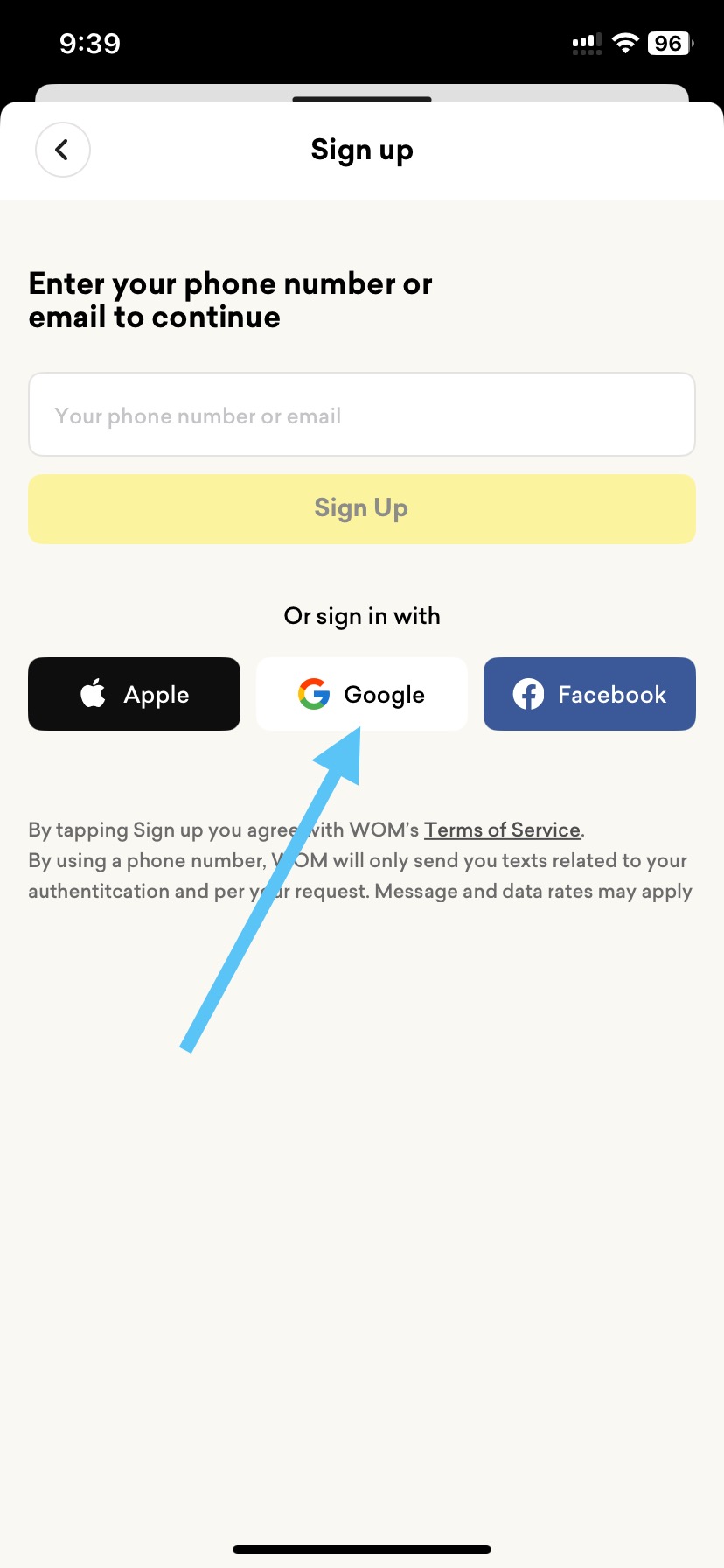
3. Select "Sign Up"
4. From the "Sign Up" pop-up menu, select "Google"
5. On the Google Sign in screen, note the app name of: "wom.auth.us-east-1.amazoncognito.com"

Result: The Google OAuth consent screen displayed by the WOM: Restaurant Discovery app displays an app name of: "wom.auth.us-east-1.amazoncognito.com"

Expected: An app name of "wom.auth.us-east-1.amazoncognito.com" isn't user friendly and doesn't provide relevant information to the end user


Select the "Sign Up" option...


Select the "Google" option...


Inaccurate app name of: "wom.auth.us-east-1.amazoncognito.com"


Saturday, February 1, 2025

Bōzt: Restaurants & Local Food app for iOS: Google OAuth Consent Screen: Privacy Policy and Terms of Service Links Take User to Inactive Bozt.bozt Page

iOS 18.3

Bozt: Restaurants & Local Food app for iOS (version 4.2.4)

02/01/2025

Description:

The Bozt: Restaurants & Local Food app for iOS has a problem with the OAuth consent screen.

The "Privacy Policy" and "Terms of Service" links on this OAuth consent screen that is displayed by the Bozt app are bad - they lead the user on a dead link. 

Steps to Reproduce:

1. Download and launch the Bozt: Restaurants & Local Food app 

2. From the Sign-in screen, select "Sign in with Google"

3. Select "Continue" to the pop-up prompt

4. From the Google OAuth screen, select either "privacy policy" or "terms of service"

Result: The "privacy policy" and "terms of service" links on Bozt's Google OAuth consent screen take the user to a dead link

Expected: The "privacy policy" and "terms of service" links on Bozt's Google OAuth consent screen should take the user to valid privacy policies and terms of service for the app. 


Open the app...


Select "Sign in with Google"...


Select the "Continue" option...


Click on either the "privacy policy" or "terms of service" links...

User is take to a non-working Bozt.bozt link.


Wednesday, January 22, 2025

OneDayOnly - Online Shopping app for iOS: Google OAuth Consent Screen: Incorrect App Name of project-4272050226

 iOS 18.2.1

OneDayOnly app for iOS (version 4.3.0)

01/22/2025

Description:

The Google OAuth sign-in screen for the OneDayOnly - Online Shopping app for iOS displays an app name of:


This obviously isn't an accurate representation of what the user is logging into. 

Steps to Reproduce:

1. Download the OneDayOnly app for iOS

2. Select the "Account" option 

3. Select the "Log in" option 

4. Select "Log in with Google"

5. From the Google pop-up prompt select "Continue"

6. Note the name "project-4272050226" on the Google consent screen

Result: The app name listed on the Google OAuth consent screen for the OneDayOnly iOS app displays as "project-4272050226" - this is misleading to the end user 

Expected: The OneDayOnly iOS app should display the correct name of the app on the Google OAuth consent screen 


Download and launch the OneDayOnly app for iOS app...


Select the "Account" option...


Select the "Log in" option...


Select the "Log In With Google" option...


Select the "Continue" option from the pop-up...


Incorrect app name of: project-4272050226


Wednesday, November 6, 2024

Pepper - Recipes with Friends app for iOS: Google OAuth Consent Screen: Incorrect App Name of pepperauthprod.auth.us-east-1.amazoncognito.com

 iOS 18.0.1

Pepper - Recipes with Friends app for iOS (version 2.10.1)

11/06/2024

Description: 

The Google OAuth Sign In screen for the Pepper - Recipes with Friends app displays an app name of: "pepperauthprod.auth.us-east-1.amazoncognito.com."

This is not an accurate representation of what the user is signing into. 


Steps to Reproduce:

1. Download the Pepper - Recipes with Friends app for iOS (version 2.10.1)

2. Launch the app - select "Sign Up"

3. From the "JOIN US." screen, select the "Sign up with Google" option 

4. From the Google Sign in screen, note the app name of: "pepperauthprod.auth.us-east-1.amazoncognito.com"

Result: The app name listed on the Google OAuth screen presented by the Pepper - Recipes with Friends iOS app is: "pepperauthprod.auth.us-east-1.amazoncognito.com" - this is an AWS URL and not an accurate representation of what the app's name is. There is no privacy policy or TOS link either 

Expected: The Google OAuth screen presented by the Pepper - Recipes with Friends app should present the name of the app correctly 


Launch the Pepper - Recipes with Friends app for iOS...


Select the "Sign Up" option...


Choose the "Sign up with Google" option...


The app name is: "pepperauthprod.auth.us-east-1.amazoncognito.com"


Monday, October 28, 2024

myPittCounty for iOS: Google OAuth Consent Screen: Incorrect App Name of project-191509807296

 iOS 18.0.1

myPittCounty app for iOS

10/28/2024

Description:

Here's a common problem with Google Oauth consent screens. On the Google Oauth screen presented by the myPittCounty app, the correct app name is not listed. Take a look at how it appears:


This goes against Google's own rules. 


Steps to Reproduce:

1. Download the myPittCounty app for iOS

2. Navigate to the log in page

3. Select the Google logo

4. From the "myPittCounty" Wants to Use "google.com" to Sign in" prompt, select "Continue"

5. From the consent screen, note the app's name isn't listed (instead it says "project-191509807296")

Result: When accessed via the myPittCounty iOS app, the Google Oauth consent screen does not display the name of the app. The app is represented as: "project-191509807296"

Expected: When accessed via the myPittCounty iOS the Google Oauth consent screen should display the correct name of the app 


Download the myPittCounty app from the app store and launch it...


Select the Google option here...


Select "Continue"...


No name of the app: just a project name. 


Curiously the Google Oauth consent screen is taken to in the app is not the same Oauth consent screen that the user is taken to when accessed via the web. The web login can be accessed here. 


Thursday, August 15, 2024

Olive Young Global app for iOS: Google OAuth Consent Screen: User Stranded as there is No Way to Back Out

 iOS 17.6.1

Olive Young Global app for iOS (version 1.3.6)

Date: 08/15/2024

Description:

Here's an unusual problem with a Google OAuth consent screen that I have not encountered before: an app called Olive Young Global has a consent screen which the user is impossible to back out of.

Take a look:

Absolutely no way to back out of this consent screen to the app. The app needs to be forced-quit or deleted. This is a terrible end-user experience. 


Steps to Reproduce:

1. Download and launch the Olive Young Global app (version 1.3.6) for iOS

2. Select the "My" option 

3. From the Sign In page, select "Sign up with Google"

4. No way to back out of Google sign-in page

Result: There is no way for the user to back out of the Google OAuth consent screen presented by the Olive Young Global app - user is stranded on a consent screen. Exiting and re-starting the app does not return the user to the app 

Expected: There should always be a way (a visual cue) for the end user to exit out of a Google OAuth consent screen and back into an iOS app 

Launch the Olive Young Global app for iOS...

Select the "Sign in with Google" option...

No way to back out (no visual cues such as a back arrow) to alert the user how to exit. 


Saturday, August 10, 2024

Gumtree app for iOS: Google OAuth Consent Screen: Terms of Service link leads to a 404 Page

 iOS 17.6

Gumtree app for iOS (version 20.14.0)

08/10/2024

Description:

The Gumtree app for iOS has a problem with the OAuth consent screen. The Terms of service link on Gumtree's OAuth consent screen leads to a 404 page.


Steps to Reproduce:

1. Download and launch the Gumtree app for iOS

2. Select "My Gumtree"

3. Select "Sign in"

4. Select the "Google" option 

5. From the Google Sign-in prompt select "Continue"

6. Select the "Terms of Service" link

Result: The "Terms of Service" link on the Google OAuth consent screen leads to a 404 page

Expected: The "Terms of Service" link on the Google OAuth consent screen for the Gumtree app should lead to a valid Terms of Service 


Select the "Google" option in the Gumtree app.


Select the "Continue" option...


Select the "terms of service" link...


A 404 page.


Tuesday, July 9, 2024

Nihao Jewelry - Wholesale Online app for iOS: Google OAuth Consent Screen: Privacy Policy link crashes the app

 iOS 17.5.1

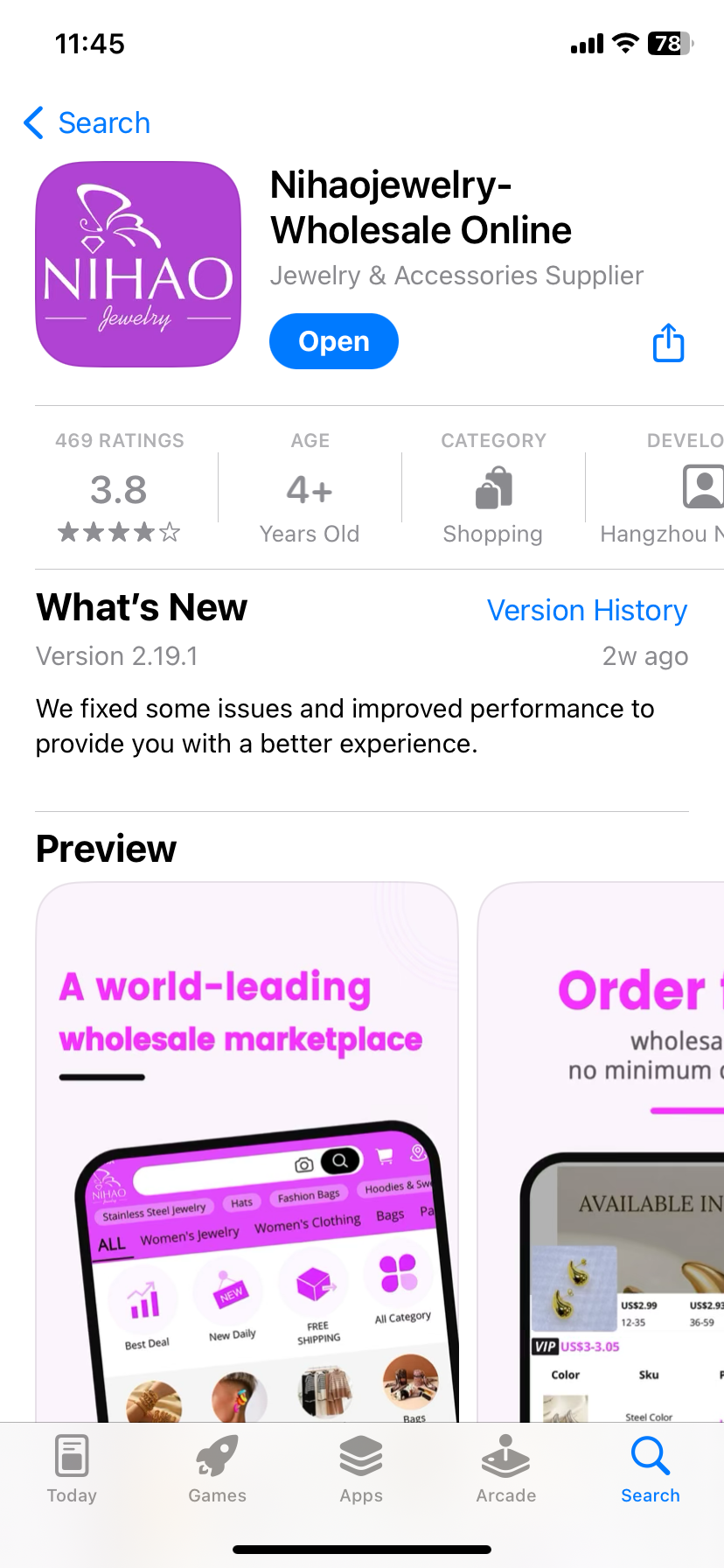
Nihao Jewelry - Wholesale Online app for iOS (version 2.19.1)

07/09/24

Description: 

Here's a problem with a Google OAuth consent screen that leads to a crash. There's an app called Nihao Jewelry (NihaoJewelry) that comes up frequently in the app store. It looks to be a Blue Nile competitor. 

Like many apps, this app has an option to create an account using your Google credentials on a Google OAuth consent screen. 

That screen looks like this on web:


Instead of leading to a valid privacy policy, the app is linking to something that was hosted at: http://www.mm.com/index.php/customer/account/login/


I'm not really sure what mm.com used to be, but it did sell for quite a lot some years ago. 

Long story short: the link is dead. This dead link crashes the Nihao Jewelry iOS app.

Here's the Google OAuth screen inside of the app:


If you select the "privacy policy" link from within the iOS app, the app crashes. It shouldn't be doing this, of course.

Steps to Reproduce:

1. Download and launch the Nihao Jewelry - Wholesale Online app for iOS (version 2.19.1)
2. Select the Profile option in the lower right hand corner of the screen 
3. Select the "Continue with Google" option 
4. From the ""Nihaojewelry" Wants to Use" option, select "Continue"
5. From the Sign in page, select "privacy policy"

Result: Selecting the "privacy policy" link on the NihaoJewelry - Wholesale Online app's Google OAuth consent screen crashes the app 

Expected: The "privacy policy" link on the NihaoJewelry - Wholesale Online app's Google OAuth consent screen should work - selecting it should take the user to a valid privacy policy - it should not crash the app


Please take a look at the attached screenshots:


Download and launch the Nihaojewelry app for iOS...

Select the "Account" option...


Select the "Continue with Google" option...


Select "Continue"


Select the "privacy policy" link...


The app will hang for a few moments and then crash...


Sunday, July 7, 2024

OLX: Pakistan app for iOS: Google OAuth Consent Screen: Privacy Policy and Terms of Service Links Do Not Work

 iOS 17.5.1

OLX: Pakistan app for iOS (Version 15.48772)

07/07/24

Description:

Here's another problem with a Google OAuth consent screen. A company called OLX: Buy and Sell Near You is a major e-commerce platform.

The iOS app has a consent screen that looks like this:

The Google OAuth consent screen for an app called OLX has a privacy policy and a terms of service link. Neither link works. Instead of taking the user to valid pages - or even 404 pages - the user just goes for a sort of loop.

The link to that particular consent screen can be found here. 


The "privacy policy" and "terms of service" links on this Google OAuth consent screen do not work. They do not lead to either valid privacy policies or terms of service. Nor do they link to 404 pages. Instead they just loop the end user back into a web version of the app.

Steps to Reproduce:

1. Download and launch the OLX: Pakistan app for iOS

2. From the "Log in to your OLX account" screen, select "Log in with Google"

3. From the "OLX Pakistan" prompt, select "Continue"

4. From the Google OAuth consent screen, select either "privacy policy" or "terms of service"

Result: The "privacy policy" and "terms of service" links on the Google OAuth consent screen for the OLX: Pakistan app do not work. They do not take the user to either valid privacy policies or terms of service - nor do they take the user to a 404 page

Expected: The "privacy policy" and "terms of service" links on the Google OAuth consent screen should take the user to valid privacy policies or terms of service 


From the "Create a new OLX account" screen, select "Join with Google"

Select the "Continue" option...

The "privacy policy" and "terms of service" links do NOT work. 


Saturday, July 6, 2024

JJ's House for iOS: Google OAuth Consent Screen: Incorrect App Name of project-804447566408

 iOS 17.5.1

JJ's House for iOS (version 5.6.1)

07/06/2024

Description: 

For years now I have looked at Google OAuth consent screens, spotted problems, and then promptly forgot about them. No more! From now on, if I spot a problem with the Google OAuth consent screen that is used by an iOS app, I will document it. Maybe I will even start a whole new blog.

First up: the Google OAuth consent screen used by an app called JJ's House for the iPhone. Let's take a look at what this looks like:

Shouldn't look like this!


Curiously the Google OAuth consent screen that the user is taken to via the app (which you can access here) is not the same as the OAuth consent screen that the user is taken to when accessed via web. You can access the web consent screen here. 


This obviously is a problem, and the end user experience for the user using the iOS app is poor. This appears to go against Google's own rules. 

I feel motivated to report these, and I will endeavor to write them down when I spot them. 

Steps to Reproduce:

2. Select "Sign in / Register"
3. Select the Google logo
4. From the ""JJsHouse" wants to Use Google" prompt, select "continue"
5. From the consent screen, note that the app's name isn't listed (instead says "project-804447566408")
6. Click on "project-804447566408"
7. Note less than informative contact email (email address seemingly unrelated to app)

Result: When accessed via the iOS app, the Google OAuth consent screen for JJ's House is missing the name of the app. The app name is represented as: "project-804447566408"

Expected: When access via the iOS, the Google OAuth consent screen for JJ's House should display the correct name of the app - not "project-804447566408" 


Down the JJ's House app for iOS and select the Google logo...


Select "Continue" from the prompt...


The Google OAuth consent screen does NOT list the name of the app. This only happens when accessed via the iOS app. This does not happen on web...


Email contact under "Developer Info" - the email address appears to have no connection to the app. As an end user, am I supposed to trust this address?