Monday, May 23, 2016

Ello on the iPad Mini - crashes when I try to share profiles

Ello app (version 1.7.1) on an iPad Mini.

Description:

I've been playing around with the Ello website for some time now. I downloaded the Ello app for the iPad Mini a couple months back. I enjoy it, but there is one minor crash that I continually get.

When I go to certain profiles in the app, there is (occasionally) an option to share the profile using the iOS option to bring up the twitter/facebook/e-mail clipboard option.

Whenenver this option is available for profiles on Ello, if I select it, the app crashes. If I see the sharing option, and I select it, I get this crash 100% of the time.

This is easier to show than it is to describe, so please see the attached screenshots.

Steps to reproduce:

1. Signed into an Ello account - launch the app
2. Select certain profiles (like @mskiabreanne)
3. Select the share option in the upper right

Result: Selecting the share option on certain profiles crashes the Ello app

Expected: Selecting the share option for certain profiles should not crash the Ello app

Any time I select the share option on a profile page, the app crashes for me...

Thursday, April 21, 2016

Her Story game on the iPad Mini - crashes when I use the keyboard's microphone button at tag entry

Her Story game (version 1.1) on an iPad Mini.

Description:

I purchased and downloaded the game Her Story onto my iPad Mini. I can understand why it has received the accolades that it has - it is a very interesting and unique game.

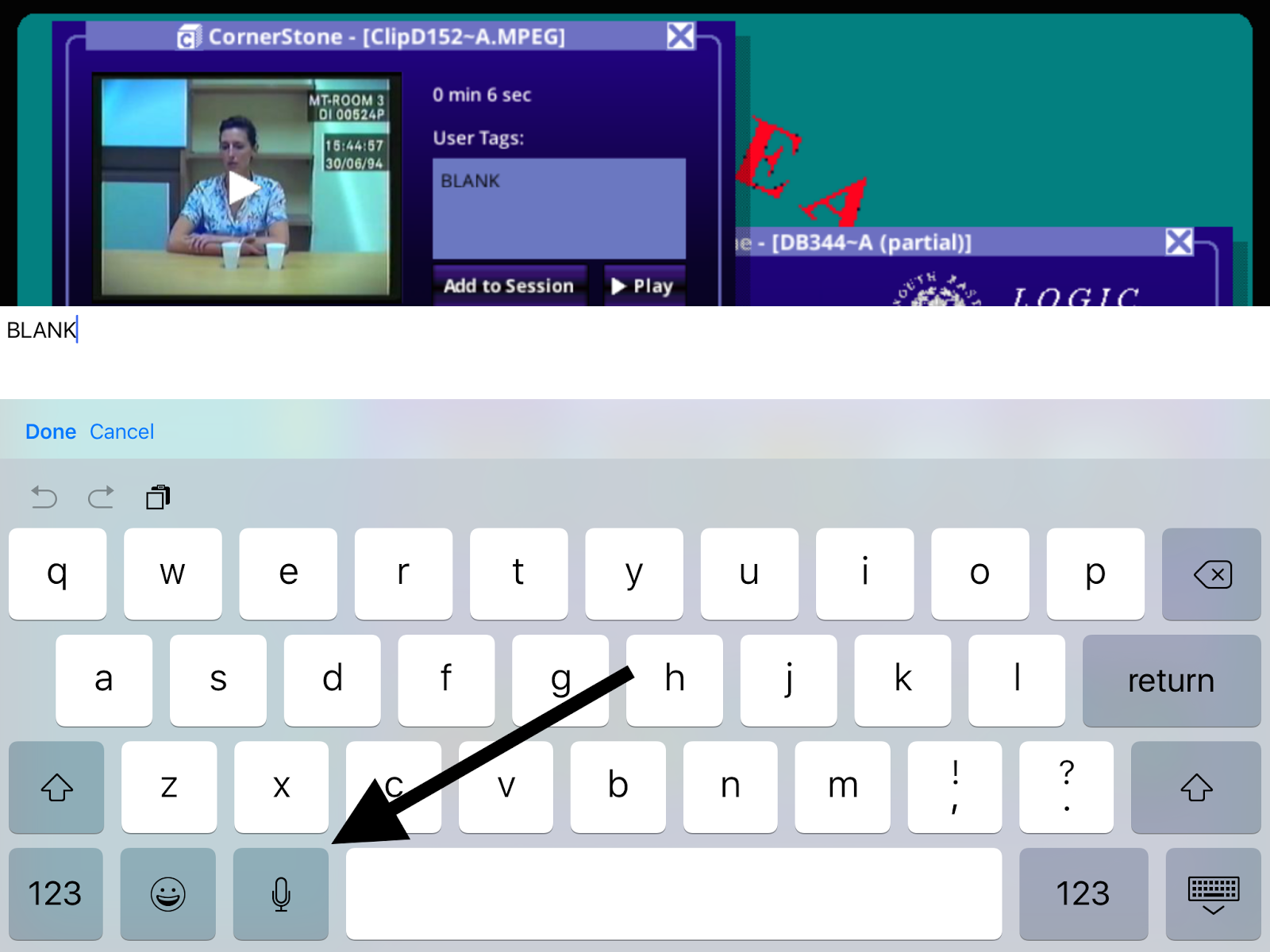
I do have one minor complaint, however. If I select any of the videos in the game, there's an option to add a tag to that video. When you add a tag, the iPad's keyboard pops up. If I select the microphone button, the game crashes.

Not a huge deal, but I noticed it very quickly. Please see the attached screenshots.

Steps to Reproduce:

1. After having progressed through the game for a while, re-launch the game
2. Select any video
3. Select the "User Tags:" text box
4. With the iOS keyboard extended, press the keyboard's microphone button

Result: The Her Story game crashes on my iPad Mini when I press the microphone button on the iOS keyboard from the tag area of videos

Expected: Game shouldn't crash when I press the microphone button on the keyboard


Purchase the Her Story game...

Select any of the videos...

Select the "User Tags:" input box. Once you do, a keyboard will appear...

Select the microphone button from the keyboard. This crashes the game for me.

Monday, February 15, 2016

Goodreads app on the iPad Mini freezes on Goodreads account log-in screen

Goodreads (version 3.3) on an iPad Mini

Description:

Keep getting an interesting bug with the Goodreads app on my iPad Mini.

Basically, the app gets frozen on a screen that is asks for my preexisting Goodreads account. I cannot back out, I can't access the "Forgot your password?" option, can't select any of the options on the bottom of the screen.

I've had to delete the app and re-download in order to get it working again. Reboot the iPad might, but I don't like doing that.

This bug is much easier to show than to describe, so please see the attached screenshots.

Steps to Reproduce:

1. Download the Goodreads app (version 3.3) on an iPad Mini
2. Dismiss the Updated Book Page pop-up
3. Select "Sign Up"
4. Select "Sign Up with Amazon"
5. Sign into an Amazon account - using "Sign into Amazon" button
6. From the "Do you have a Goodreads account?" prompt, select "Yes"
7. From the "Meet your next favorite book." page, select "Sign In"
8. Dismiss the invalid email address error message

Result: App freezes after an "invalid email address" appears on the "Meet your next favorite book." account sign-in screen

Expected: App should not freeze after the user receives an "invalid email address" error message on the "Meet your next favorite book." screen

Download the Goodreads app on an iPad Mini...

Select the "Get Started" option...

Select the "Sign Up with Amazon" option...

Enter in Amazon account credentials, then click on "Sign into Amazon"

Select "Yes"

Press the "Sign in" button.

Select "OK" from this error message...

Completely frozen screen!

Wednesday, February 10, 2016

Kelli Ward 2016 app - Terms of Service and Privacy Policy links on the sign-in page lead to 404s

Kelli Ward for U.S. Senate app (version 1.2.0)

Description:

The "Terms of Service" and "Privacy Policy" links on the Kelli Ward 2016 app lead to 404 pages. Not good that a political app doesn't take users to a readable TOS or Privacy Policy.

Please see the attached screenshots.

Steps to Reproduce:

1. Download and launch the Kelli Ward for U.S. Senate app (version 1.2.0)
2. Select either "Terms of Service" or "Privacy Policy" from the red sign-in page

Result: The "Terms of Service" and "Privacy Policy" links on the Kelli Ward 2016 app's sign-in page take the user to a 404 page

Expected: Working "Terms of Service" and "Privacy Policy" links on the Kelli Ward 2016 sign-in page


Launch the Kelli Ward 2016 app...

Select either "Terms of Service" or "Privacy Policy"

404 page.

Storehouse app on my iPad Mini crashes when I decline permission to access my contacts

Storehouse (version 2.4.1) app on an iPad Mini

Description:

The Storehouse app on my iPad Mini continually crashes when I select "Not Now" from an Enable Access to contacts screen.

I keep getting this crash 100% percent of the time - both when my Storehouse account was unverified, and now that it is.

Please see the attached screenshots.

Steps to reproduce for my account:

1. Launch the Storehouse app while signed into my account
2. Select the profile icon
3. Select "Add Friends"
4. Select "Add from Contacts"
5. From the Contacts screen, select "Not Now"

Result: Selecting "Not Now" to deny the Storehouse app access to my iPad Mini's contacts, crashes the Storehouse app (version 2.4.1)

Expected: Selecting "Not Now" on the Contacts screen of the Storehouse app should not crash the app


Launch the Storehouse app...

Select the "Add Friends" option...

Select the "Add from Contacts" option...

Select the "Not Now" option - when I do, the app always crashes.

Wednesday, January 27, 2016

Pocket Gravity by ideaa crashes when you select the share option

Pocket Gravity (version 1.0) on an iPad Mini

Description:

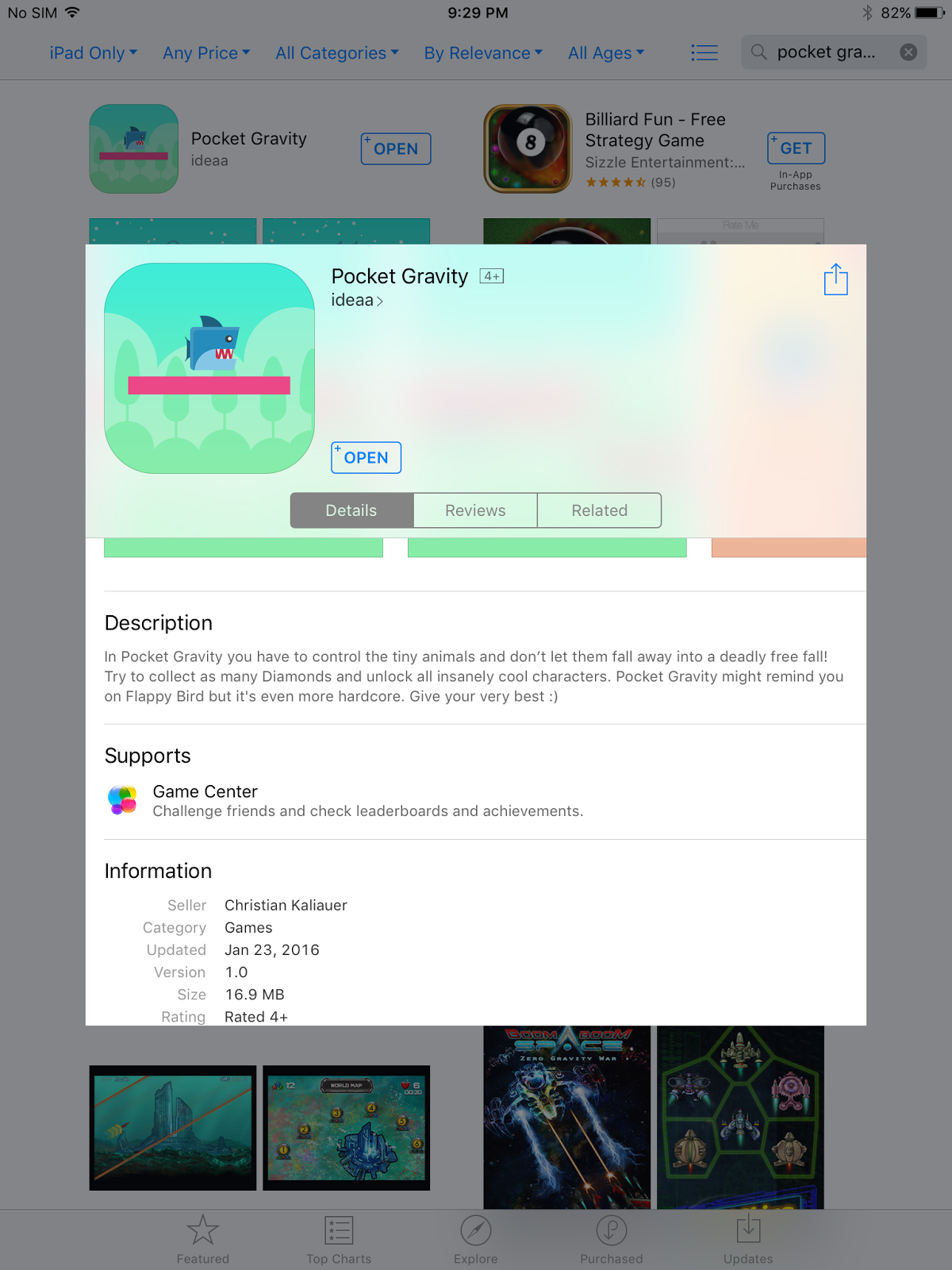
The game Pocket Gravity crashes on my iPad Mini when I select the share option from a post-death stat screen.

This crash seems to happen 100% of the time.

Please see the attached screenshots.

Steps to Reproduce:

1. Download and launch Pocket Gravity on an iPad Mini
2. Advance through gameplay, then die
3. Select the share option

Result: Selecting the share option in the game Pocket Gravity crashes the game on my iPad Mini

Expected: That selecting the share option will not crash the game Pocket Gravity

Download and launch Pocket Gravity on an iPad Mini...


Sunday, January 24, 2016

Avenger Birds on an iPad Mini - crashes when you select the share button

Date: 01/24/2016

Avenger Birds game (Version 1.0) on an iPad Mini running iOS 9.2

Description:

This game called "Avenger Birds" crashes when I select a share icon that comes on screen after your character dies.

This crash seems to happen 100% of the time. Please see the attached screenshots for more information.

Steps to reproduce:

1. Download and launch the game Avenger Birds on an iPad Mini
2. Enter into gameplay and die
3. Tap the share button

Result: The game Avenger Birds (Version 1.0) crashes on the iPad Mini after the share button is pressed

Expected: That the game Avenger Birds (Version 1.0) will not crash after the share button is pressed


Download and launch Avenger Birds...

Start the game...

Game crashes after you press the share button.