Showing posts with label Pinterest. Show all posts

Monday, March 10, 2025

Pinterest app for iOS: Dead Link on "You're using Pinterest on iOS 14+" page

 iOS 18.3.1

Pinterest app for iOS (version 13.8.1)

03/10/2025

Description:

There's a dead link on the "You're using Pinterest on iOS 14+" page. This explanation screen has a "learn more here" section that should take the user to additional information. 

Nothing happens when "here" is selected - this is a dead link. 

Take a look:


Steps to Reproduce:

1. Download and launch the Pinterest app for iOS (version 13.8.1)

2. Advance through account creation to the "You're using Pinterest on iOS 14+" screen 

3. Select the "more" option from "Learn more here."

Result: There is a dead link on the "You're using Pinterest on iOS 14+" explanation screen 

Expected: There should not be a dead link on the "You're using Pinterest on iOS 14+" screen 


Monday, February 27, 2023

Pinterest app for iOS: Bad Terms Link on the FB Authorization page

 iOS 16.3.1

Pinterest app for iOS (version 11.6)

Date: 02/27/2023

Description:

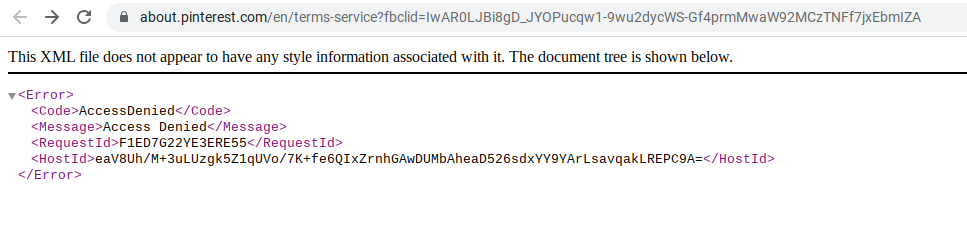
There's a bad "Terms" link on the Pinterest Facebook authorization screen. It leads to:

https://about.pinterest.com/en/terms-service?fbclid=IwAR0LJBi8gD_JYOPucqw1-9wu2dycWS-Gf4prmMwaW92MCzTNFf7jxEbmIZA


The same problem reproduces on a laptop. Here's a screenshot of what it looks like:


Steps to Reproduce:

1. Download the Pinterest app for iOS
2. Select "Log in"
3. Select the "Continue with Facebook" option 
4. From the "Pinterest" Wants to Use" option select "Continue"
5. From the Open in Facebook option, select "Open"
6. From the Log in With Facebook option, select "Terms"

Result: The "Terms" link on the Facebook login for Pinterest leads to an Access Denied page 

Expected: The "Terms" link on the Facebook login for Pinterest should never lead to an Access Denied Page

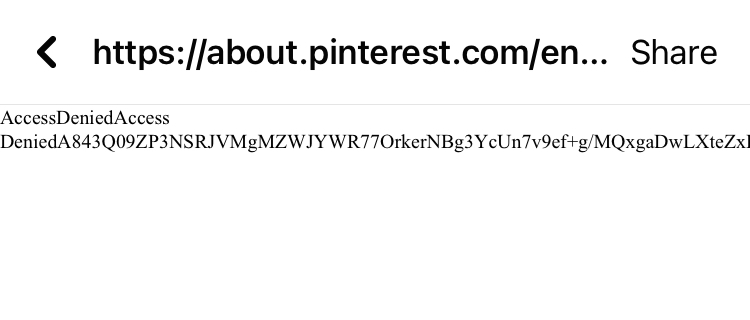
This is the "Terms" link on the Facebook in-app authorization for Pinterest. It leads to: https://about.pinterest.com/en/terms-service

The error message. 


Saturday, November 2, 2019

Pinterest app for iOS: Bad TOS link on account page

iOS 13.2
Pinterest app for iOS (version 7.38)
Date: 11/03/2019

Description:

There is a minor bug with the Pinterest app (version 7.38) for iOS. There is a "Terms of Service" link that leads to a 404 error message.

This bad "Terms of Service" link is under the portion of the app that says, "Get a free business account."

This is the link: https://www.pinterest.com/_/_/business//tos/


Steps to Reproduce:

1. Launch the Pinterest app for iOS (version 7.38)
2. Sign into your account
3. Head to the settings area of the account
4. Click on the "Terms of Service" link under "Get a free business account"

Result: The "Terms of Service" link under "Get a free business account" takes the user to a 404 error page

Expected: All "Terms of Service" links in the Pinterest app for iOS should work

Select this "Terms of Service" link...

A 404 page.


Tuesday, March 21, 2017

Pinterest - Account Creation - Trailing Whitespace - Email address isn't recognized if there is a trailing whitespace following it

Pinterest app for iOS (version 6.21)
Date: 03/22/2017

Description:

During account creation, the Pinterest app does not recognize as valid, legitimate e-mail addresses the  address is followed by a trailing whitespace.

A message of "Hmm..that doesn't look like an email address." appears after entering an e-mail address that includes a space after it.

This is easier to show than to describe, so please see the attached screenshots.

Note: Curiously, if you go back with the cursor, then enter 3 spaces in rapid succession, a period appears behind the email address to acknowledge that it is a valid address. The problem is that this isn't consistent.

Steps to Reproduce:

1. Download and launch the Pinterest app for iOS
2. Select "Sign up with email"
3. From the Sign up pop-up, enter in a valid email followed by a single space
4. Click either the red "Next" button on the pop-up, or the "Next" button on the keyboard
5. Note the "Hmm..that doesn't look like an email address." text

Result: The Pinterest app does not recognize email addresses that have a trailing whitespace behind them during account creation

Expected: Pinterest app should recognize email addresses that have a trailing whitespace behind them during account creation


Download and launch the Pinterest app...


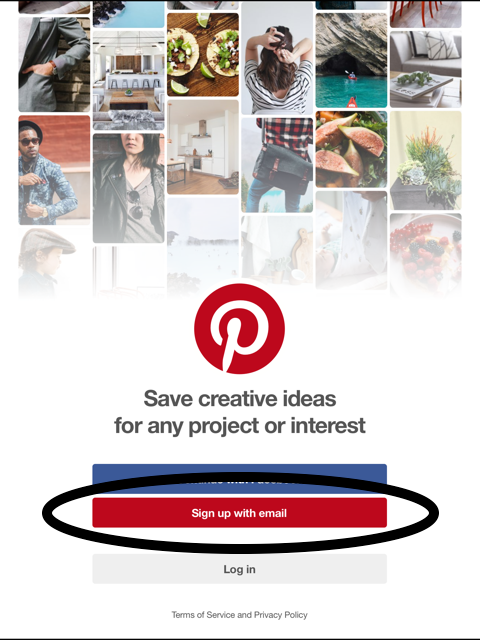
Select the "Sign up with email" option...

Enter in a valid email address...

Enter in a valid email address, followed by a single space. Then select either the red "Next" button or "Next" on the keyboard...

An error message appears that says, "Hmm..that doesn't look like an email address."