iOS 13.4.1
Wayfair app for iOS (version 5.41)
Date: 04/20/20
Description:
Bug with the Wayfair app for iOS?
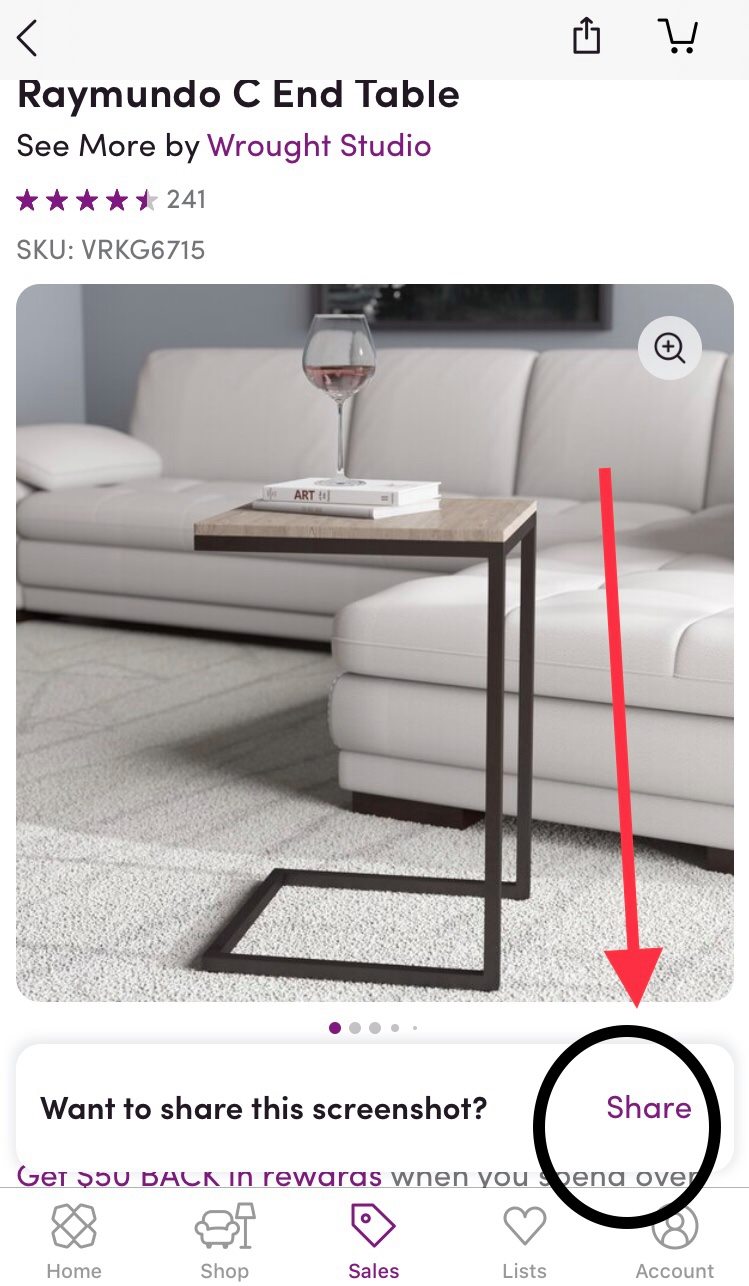
I can't get this screenshot sharing option to work:
It appears onscreen for a split second (under the screenshot preview) at the bottom of the screen. Pressing the "Share" button does not seem to work - at least not for me on my iPhone app running
Steps to Reproduce:
1. Download and launch the Wayfair app
2. Head to any product page
3. Take a screenshots
4. Quickly tap the "Share" option next to "Want to share this screenshot?"
Result: The "Share" option next to "Want to share this screenshot?" doesn't seem to work
Expected: The "Share" option that appears after taking a screenshot should work (bring up the share sheet)
I don't think this share option works....
Writing down random bugs to keep my mind limber.
Showing posts with label Wayfair app for iOS. Show all posts
Monday, April 20, 2020
Sunday, November 25, 2018
Wayfair App - iOS - declining photo library access and then pressing on photo button will crash the app
Wayfair app for iOS (version 4.59)
Date: 11/25/2018
Description:
The Wayfair app for iOS will crash on my iPad Mini if I decline photo access and then click on the phone button. This is a rare one, as I frequently play around with this on every app that I download.
Steps to reproduce:
1. Download the Wayfair app for iOS
2. Launch it
3. Select the camera option in upper right
4. Decline photo library access
5. Click the button above "Try with a Wayfair Photo"
Result: The Wayfair app will crash if the user declines photo access, and then presses the photo button
Expected: The Wayfair app (version 4.59) should not crash if the user declines photo access and then presses the photo button
Date: 11/25/2018
Description:
The Wayfair app for iOS will crash on my iPad Mini if I decline photo access and then click on the phone button. This is a rare one, as I frequently play around with this on every app that I download.
.@StevenConine .@nshah10 .@wayfair minor bug with the iOS app. Clicking the camera button crashes the app, if the user has declined access pic.twitter.com/G4cIdGZyCS— iPad Mini Bugs (@iPad_App_Bugs) November 25, 2018
Steps to reproduce:
1. Download the Wayfair app for iOS
2. Launch it
3. Select the camera option in upper right
4. Decline photo library access
5. Click the button above "Try with a Wayfair Photo"
Result: The Wayfair app will crash if the user declines photo access, and then presses the photo button
Expected: The Wayfair app (version 4.59) should not crash if the user declines photo access and then presses the photo button
Tuesday, April 4, 2017
Wayfair – Account Creation – Error Messaging – Confusing error message after entering in e-mail address with a trailing whitespace
Wayfair app for iOS (version 4.22.2 – 14565)
Date: 04/04/2017
Description:
The Wayfair app for iOS both doesn’t allow e-mail
registrations with a trailing whitespace and throws up a confusing error
message.
An error message of “Field ID email_address does not match
the required format of EMAIL_ADDRESS for value…”
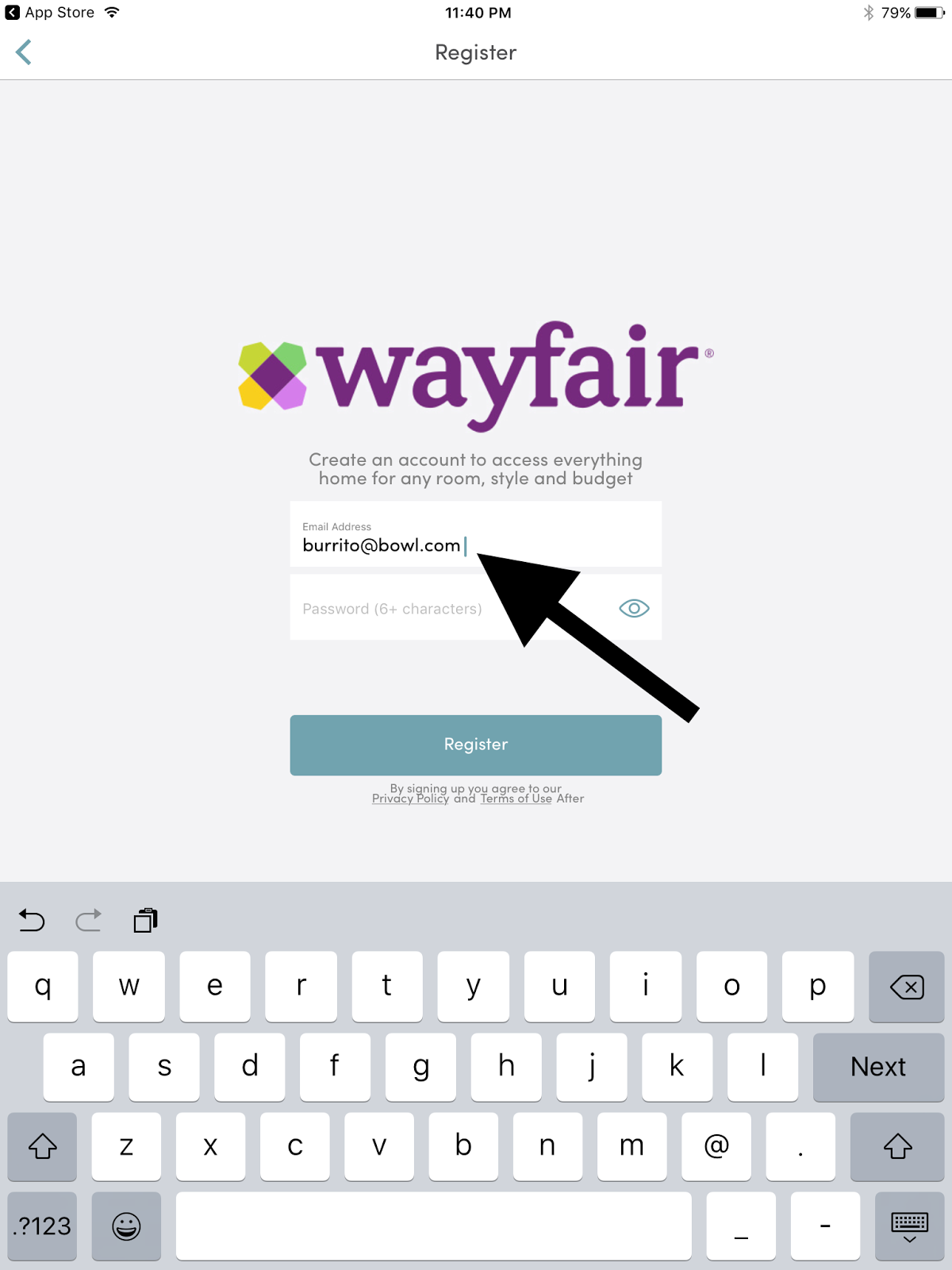
This is a confusing error message. Please see the attached
screenshots.
Steps to Reproduce:
2.
Select “Register”
3.
Enter in a valid email address with a trailing
whitespace
4.
Enter in a valid password
5.
Note the error message that states, “Field ID
email_address does not match the required format of EMAIL_ADDRESS for value…”
Result: Cannot create a Wayfair account if the email entered
is followed by a trailing whitespace – and the error message displayed is
confusing
Expected: Email address with a trailing whitespace should be
allowed and/or the error message should not be that confusing
Download the Wayfair app for iOS...
Launch the app...
Select "Register"...
Click inside the e-mail input box...
Enter in a valid e-mail address, followed by a space...
Register using an e-mail address with a trailing whitespace...
Confusing error message!
Subscribe to:
Comments (Atom)