Wednesday, March 29, 2023

Lemon8 app - Twitter auth login page's Privacy Policy link opens app to user content

iOS 16.3.1

Lemon8 app for iOS (version 3.9.1)

Date: 03/29/2023

Description:

Here it is: without a doubt, the funniest bug you will ever see involving a Twitter Auth page accessed by an iOS app during account creation. 

In essence, a "privacy policy" link does not take a user to Lemon8's written privacy policy. Instead, the app is somehow redirecting from this link: 

https://www.lemon8-app.com/legal/privacy

To user content inside of the app located at this link:

https://www.lemon8-app.com/sxxte___cxxc/privacy?language=en&mid=7215984217704203269&open_url=c25zc2RrMjY1NzovL2FydGljbGVfZGV0YWlsX3BhZ2U%2FZ3JvdXBfaWQ9NzE3NTIwOTQwNTM3NjM2NTA2MiZhcHBfbGF1bmNoX2J5PVNoYXJlK1BhZ2UrTGluayZtZWRpYV9pZD03MTc0NDIxMDM0NzIwMDM1ODQ1JnBpZD1zaGFyZV9hbCZjYW1wYWluX2lkPWFydGljbGU%3D&region=us&ui_language=en

This literally made me laugh at loud. As someone who has assiduously looked at privacy policy links, I knew had to save this one for posterity. 

Take a look:


Lemon8 twitter auth page
On an iPhone that has the Lemon8 app installed, open a mobile browser (to: https://api.twitter.com/oauth/authorize?force_login=false&oauth_token=ytWG6AAAAAABB_8DAAABhy4_QgY) and click on the "privacy policy" link

The app opens up to user content?

Here's a video of what it looks like:


Two easy ways to get this to reproduce. The longer way first, the shorter way second:


Steps to Reproduce:


  1. (on an iPhone with the Twitter iOS app installed) download and launch Lemon8

  2. Enter in an age-appropriate birthday

  3. Advance to the Create Account screen 

  4. Select the “Continue with Twitter” option 

  5. From the “Lemon8” wants to open Twitter” prompt, select “Open”

  6. From the “Authorize Lemon8 to access your account?” in-app prompt, select “cancel”

  7. User is returned to the Lemon8 app, where an api.twitter.com auto page appears 

  8. From the api.twitter.com prompt, select the “Privacy Policy” link

  9. Select “Done”


Result: Lemon8 app displays a video labeled “PRIVACY” instead of taking the user to Lemon8’s written privacy policy link after the “privacy policy” link is selected an an api.twitter.com auth login page


Expected: User should always, under all conditions, be taken to a written privacy policy after selecting a “privacy policy” link associated with Lemon8


Shorter Method to Reproduce:


  1. Download the Lemon8 app onto an iPHone

  2. On that iPhone, open a mobile browser and head to Lemon8’s twitter authorization page (https://api.twitter.com/oauth/authorize?force_login=false&oauth_token=ytWG6AAAAAABB_8DAAABhy4_QgY) 

  3. From Lemon8’s twitter auth page, select the “privacy policy” link 

  4. Note user is taken back into the Lemon8 app to a video labeled “Privacy”


Result: the “privacy policy” link on Lemon8’s twitter authorization page opens the Lemon8 to a video labeled “PRIVACY” instead of to the written privacy policy 


Expected: the “privacy policy” link on Lemon8’s twitter authorization page should always open to the written privacy policy


Thursday, March 2, 2023

Rumble app for iOS: Error Message after accessing the Privacy Policy or Terms of Service link from the FB login

 iOS 16.3.1

Rumble app for iOS (version 2.8.1)

Date: 03/02/23

Description:

There is an unusual problem with the Rumble app for iOS. I have, in fact, never seen this problem happen with another iOS until now. 

Like most other apps, the Rumble app has a Facebook login option. If selected, and if the user has the Facebook iOS app on the device, the user will be taken to a Facebook authorization screen inside of the Facebook iOS app.

This authorization login screen has two links: a "Privacy Policy" link and a "Terms of Services" link. It looks like this:


Steps to Reproduce:

1. Download and launch the Rumble app 

2. From the Rumble Sign In screen, select the "Sign in with Facebook" option 

3. From the "Rumble-iOS Wants to Use" pop-up, select the "Continue" option 

4. From the "Open in Facebook option" select "Open"

5. From the "Rumble is requesting access to;" FB login screen, select either "Privacy Policy" or "Terms of Service"

6. Select the back (Left) arrow to return to the previous screen 

7. Note the "The page you requested was not found." error message

Result: Returning from either the "Privacy Policy" or "Terms of Service" results in an error message - user cannot login into the Rumble app

Expected: Users should be able to read Rumble's "Privacy Policy" and "Terms of Service" documents and then completed the Facebook login-authorization process 


Select the "Sign in with Facebook" option...

Select the "Continue" option from this prompt...

Select "Open" from this prompt...

Select these links...

Back out of the Privacy Policy...

Stuck on an error message. I have never, ever seen this with any other apps. 


Monday, February 27, 2023

Pinterest app for iOS: Bad Terms Link on the FB Authorization page

 iOS 16.3.1

Pinterest app for iOS (version 11.6)

Date: 02/27/2023

Description:

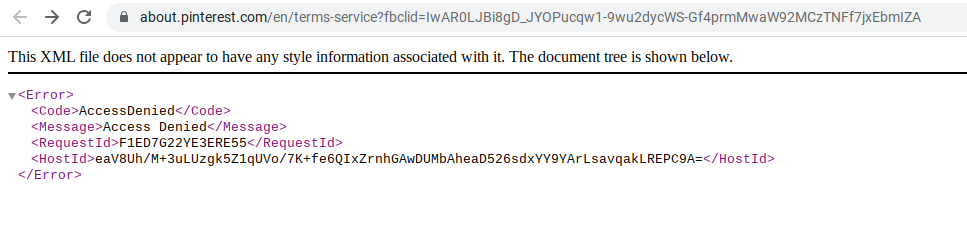
There's a bad "Terms" link on the Pinterest Facebook authorization screen. It leads to:

https://about.pinterest.com/en/terms-service?fbclid=IwAR0LJBi8gD_JYOPucqw1-9wu2dycWS-Gf4prmMwaW92MCzTNFf7jxEbmIZA


The same problem reproduces on a laptop. Here's a screenshot of what it looks like:


Steps to Reproduce:

1. Download the Pinterest app for iOS
2. Select "Log in"
3. Select the "Continue with Facebook" option 
4. From the "Pinterest" Wants to Use" option select "Continue"
5. From the Open in Facebook option, select "Open"
6. From the Log in With Facebook option, select "Terms"

Result: The "Terms" link on the Facebook login for Pinterest leads to an Access Denied page 

Expected: The "Terms" link on the Facebook login for Pinterest should never lead to an Access Denied Page

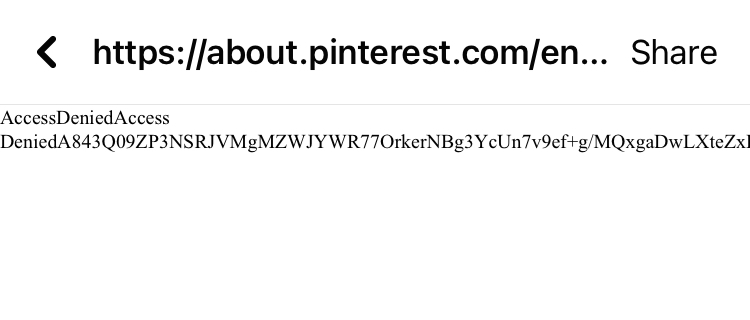
This is the "Terms" link on the Facebook in-app authorization for Pinterest. It leads to: https://about.pinterest.com/en/terms-service

The error message. 


Sunday, February 12, 2023

Vylo app for iOS: App crashes if camera switcher activated while camera permissions disabled

 iOS 16.3

Date: 02/12/2023

Vylo app for iOS (version 1.1.20)

Description:

There is an easy to reproduce crash with the current version (1.1.20) of the Vylo app for iOS. This app happens if the user declines camera access and then enters into the Record Video screen and selects the camera switch option. 

I always attempt this with every app that I download, and this was the rare (perhaps only) time that it crashes an iOS app. Here's a link to a video of the crash. 

Download the Vylo app and set it so that the app does NOT have camera access. 

Screenshot of the crash dump. 


Steps to Reproduce:

1. Create a Vylo account

2. Decline camera access 

3. With camera access declined, select "+ Create"

4. Select "Record Video"

5. From the AVCam prompt, select "OK"

6. Select the Camera Switch option in the bottom right corner of the screen

Result: The Vylo app will crash if the use selects the camera switch option with camera access declined 

Expected: App should not crash if the camera switch option is activate with camera access declined 

With camera access declined, select the "+ Create" option...

With camera access declined, select "Record Video"

Select the "OK" option...

The app will crash after the camera switch option is activated. This is a rare crash, as I do this with every app I download and have never seen this particular crash, to my recollection. 


Friday, February 10, 2023

Vylo app for iOS: Facebook login screen has non-working Privacy and TOS links

 iOS 16.3

Date: 02/10/2023

Vylo app for iOS (version 1.1.20)

Description:

The Vylo app for iOS has an option to use Facebook credentials to create an account. One minor problem: the login confirmation page displayed inside of the Facebook app has non-working Privacy Policy and Terms of Service links. 

Selecting either the Privacy Policy or Terms of Service links will land the user on a page that says, "The page you requested was not found."

Take a look:


Steps to Reproduce:

1. Download the Vylo app for iOS (version 1.1.20)

2. From the "Join the conversation." page, select "Continue with Facebook"

3. From the in-app prompt, select "Continue"

4. From the "Open in Facebook" prompt, select "Open"

5. From the requesting access page, select either "Privacy Policy" or "Terms of Service"


Result: The "Privacy Policy" and "Terms of Service" links on the Facebook login confirmation page are not working/don't take the user to valid documentation 


Expected: Links such as "Privacy Policy" and "Terms of Service" should always work 

Select the "Continue with Facebook" option...

Select the "Continue" option from this prompt...

Select the "Open" option from this prompt...

Select either the "Privacy Policy" or "Terms of Service" links...

No Privacy Policy or Terms of Service 


Sunday, December 25, 2022

IZIon24: Bảo hiểm bỏ túi app for iOS: FAQ section in Guest Mode crashes the app

iOS 16.2

Date: 12/25/22

IZIon24: Bảo hiểm bỏ túi app for iOS (version 1.0.84)

Description:

IZIon24: Bảo hiểm bỏ túi is a Vietnamese insurance app that is available to download from the Apple App Store. The app has English and Vietnamese language options. 

The app seems to always crash when the user selects the "Guest Mode" option, and then selects the FAQ.

Take a look at the following screenshots:

Screenshot of the login page for an app called IZIon24: Bảo hiểm bỏ túi

Select the "Continue as Guest" option at the bottom of the screen....


Select the "FAQ" - the app will crash.


Steps to Reproduce:

1. Download and launch the IZIon24: Bảo hiểm bỏ túi app for iOS

2. Select the "Continue as Guest" option (English or Vietnamese)

3. Select the "FAQ"

Result: Selecting the FAQ in theIZIon24: Bảo hiểm bỏ túi app for iOS crashes the app

Expected: Select the FAQ should not crash the app 

Sunday, October 16, 2022

Facebook app for iOS: Blocking accounts using in-app blocking option results in white screen of death

iOS 16.0.3

Facebook app for iOS (version 388.0)

Date: 10/16/2022

Description:

Here's a problem that I encountered today with the current version (388.0) of the Facebook app for iOS. If the user uses the block option that is presented when reporting an account for a violation of community standards, the app frequently (always?) ends up in an unresponsive state with a "white screen of death" being displayed to the user.

I got this problem to reproduce on an iPhone 8 running iOS 16.0.3 and an iPhone 6 running iOS 15. This problem is reproducing with the current version of the Facebook iOS app:


I managed to take a video of the problem, which I uploaded to Twitter:


Steps to Reproduce:

1. Launch the current version of the Facebook app for iOS (version 388.0)

2. Become perturbed by a Facebook account 

3. Report the account using the "Report profile" feature  

4. Report the account as a "Fake account"

5. From the "Does this go against our Community Standards?" prompt select "Submit"

6. From the "Thank you, we've received your report" prompt select "Next"

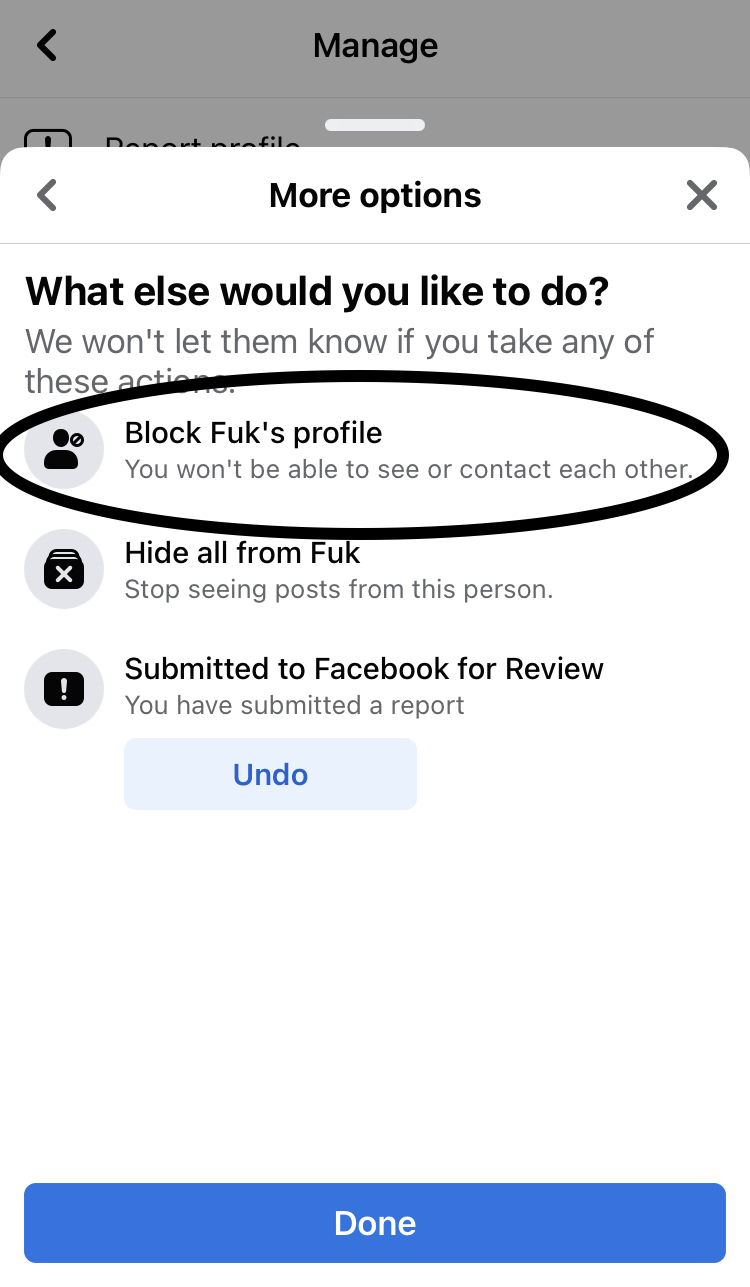
7. From the "What else would you like to do?" prompt select "Block ______'s profile" then select "Done"

8. From the "Block ________?" prompt select "Block"

Result: Blocking accounts using the in-app block feature results in the Facebook app becoming stuck in an unresponsive state 

Expected: Blocking accounts using the in-app blocking featured should NOT result in the Facebook app becoming unresponsive 


Here's a Facebook account with an offensive name that is engaged in behavior that likely violates community standards.

Report this account as a "fake account"

Report the account for violating community standards...

Select "Next"

Select the Block option from this option screen...


Select the "Block" option - app becomes unresponsive on a white screen of death.