Tuesday, April 4, 2017

Wayfair – Account Creation – Error Messaging – Confusing error message after entering in e-mail address with a trailing whitespace

Wayfair app for iOS (version 4.22.2 – 14565)
Date: 04/04/2017

Description:

The Wayfair app for iOS both doesn’t allow e-mail registrations with a trailing whitespace and throws up a confusing error message.

An error message of “Field ID email_address does not match the required format of EMAIL_ADDRESS for value…”

This is a confusing error message. Please see the attached screenshots.

Steps to Reproduce:
1.     Download and launch the Wayfair app for iOS
2.     Select “Register”
3.     Enter in a valid email address with a trailing whitespace
4.     Enter in a valid password
5.     Note the error message that states, “Field ID email_address does not match the required format of EMAIL_ADDRESS for value…”

Result: Cannot create a Wayfair account if the email entered is followed by a trailing whitespace – and the error message displayed is confusing


Expected: Email address with a trailing whitespace should be allowed and/or the error message should not be that confusing

Download the Wayfair app for iOS...
Launch the app...

Select "Register"...
Click inside the e-mail input box...
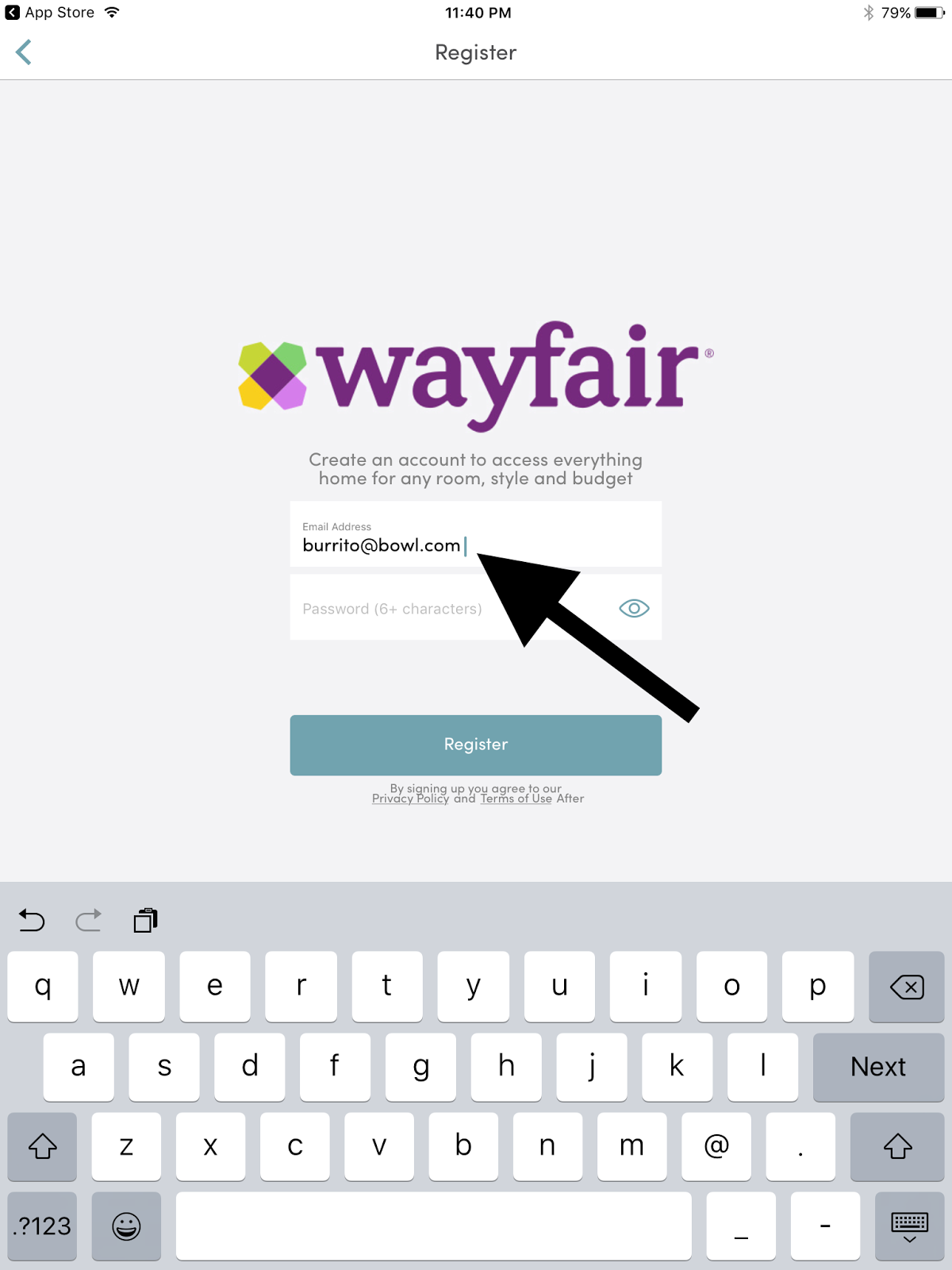
Enter in a valid e-mail address, followed by a space...
Register using an e-mail address with a trailing whitespace...

Confusing error message!

Rover – Account Creation – Trailing Whitespace – Email address isn’t recognized if there is a trailing whitespace following it

Rover app for iOS (version 3.11.8)
Date: 04/04/2017

Description:

During account creation, the Rover app does not recognize a valid email address , if the address has a trailing whitespace.

The user will be presented with an error message of, “Please enter correct email address” if the user tries to use a valid email address with a trailing whitespace behind it.

This is much easier to show than to describe, so please see the attached screenshots.

Steps to Reproduce:

1.     Download and launch the Rover app for iOS
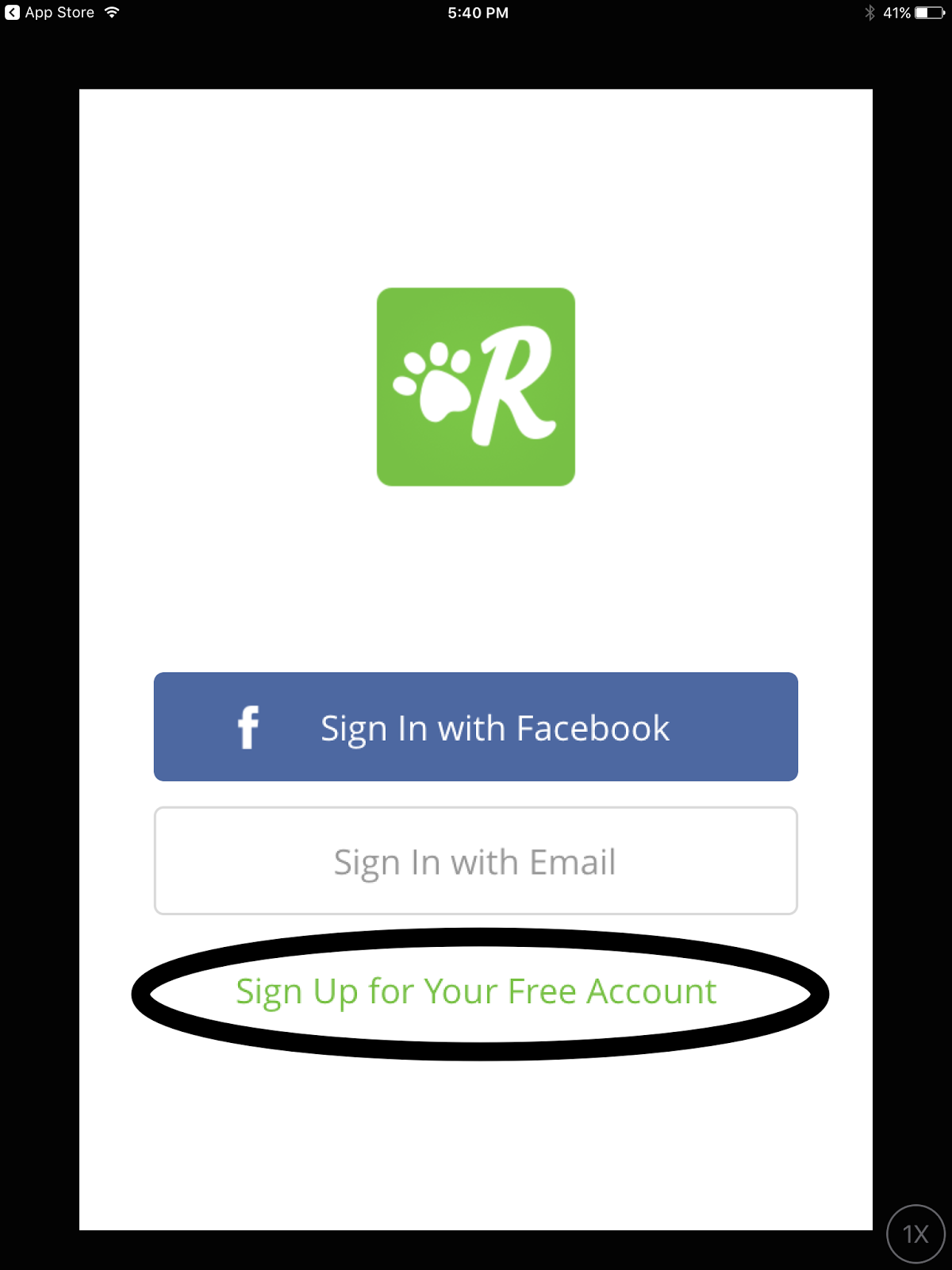
2.     Select “Sign Up for Your Free Account”
3.     Enter in a valid First Name, Last Name and Zip Code
4.     In the “Email” input box, enter in a valid email address that is followed by a single space
5.     Select “Next” on the keyboard
6.     Enter in a valid password – select “Go” on the keyboard
7.     Note the error message of: “Please enter correct email address”

Result: The Rover app for iOS does not recognize valid email address that include a trailing whitespace behind them


Expected: That the Rover app for iOS will recognize vaild email addresses that include a trailing whitespace behind them

Download and launch the Rover app for iOS...

Select the "Sign Up for Your Free Account" option...

Start creating an account...

Enter in a valid e-mail address with a trailing whitespace. Then click on "Next"
Click on "Go"...
Note the error message. 

Tuesday, March 21, 2017

Pinterest - Account Creation - Trailing Whitespace - Email address isn't recognized if there is a trailing whitespace following it

Pinterest app for iOS (version 6.21)
Date: 03/22/2017

Description:

During account creation, the Pinterest app does not recognize as valid, legitimate e-mail addresses the  address is followed by a trailing whitespace.

A message of "Hmm..that doesn't look like an email address." appears after entering an e-mail address that includes a space after it.

This is easier to show than to describe, so please see the attached screenshots.

Note: Curiously, if you go back with the cursor, then enter 3 spaces in rapid succession, a period appears behind the email address to acknowledge that it is a valid address. The problem is that this isn't consistent.

Steps to Reproduce:

1. Download and launch the Pinterest app for iOS
2. Select "Sign up with email"
3. From the Sign up pop-up, enter in a valid email followed by a single space
4. Click either the red "Next" button on the pop-up, or the "Next" button on the keyboard
5. Note the "Hmm..that doesn't look like an email address." text

Result: The Pinterest app does not recognize email addresses that have a trailing whitespace behind them during account creation

Expected: Pinterest app should recognize email addresses that have a trailing whitespace behind them during account creation


Download and launch the Pinterest app...


Select the "Sign up with email" option...

Enter in a valid email address...

Enter in a valid email address, followed by a single space. Then select either the red "Next" button or "Next" on the keyboard...

An error message appears that says, "Hmm..that doesn't look like an email address."

RealSelf – New Accounts – App crashes after deleting a newly created Notebook

RealSelf app for iOS (version 3.3.0 – 20170310.3)
Date: 03/21/2017

Description:

I’ve gotten this crash a couple of times now. Seems to be completely reproducible. 

There’s a crash that continually happens with brand new accounts. The app crashes after you delete a newly created Notebook.

Once a new account deletes a newly created Notebook, the app will crash if you press any of the options on the bottom menu bar of the app.

This is much easier to show than to describe, so please see the attached screenshots.

I've posted the crash dump to Pastebin:  http://pastebin.com/Q5C0NX3k

Steps to reproduce:

1.     Download and launch the RealSelf app for iOS
2.     Select the “I’m new” option
3.     Enter in valid information on the sign up page
4.     Select one area of interest
5.     Select “Saved”
6.     Select “Create a notebook”
7.     Create a New Notebook
8.     Select the newly created Notebook
9.     Select the settings icon in upper right hand corner of the screen
10. Select “Delete Notebook”
11. Select “Delete”
12. Select either “Home” or “Search” or “Doctors” or “Me” from the bottom bar

Result: If a new RealSelf account deletes a newly created notebook, the RealSelf iOS app crashes


Expected: The RealSelf iOS app shouldn’t crash if a new user deletes a newly created notebook

Create a new account...

Choose one of these options...

Select "Done"

Select "Saved"

Select "Create a notebook"


Name the new notebook (I called it "New Notebook") and then select "Done"

Select the notebook you just created...


Select the settings option in the upper right hand corner of the screen...


Select the "Delete Notebook" option...

Select "Delete"

Select any option on the bottom. 

Wednesday, March 15, 2017

RealSelf – Account Creation – Email Address isn’t recognized if there is a trailing whitespace following it

RealSelf app for iOS (version 3.3.0 – 20170310.3)
Date: 03/15/2017

Description:

Account creation will fail if the user inserts a single space behind a valid e-mail address during RealSelf account creation on iOS.

I guess the technical language for this is have a “trailing whitespace” following a perfectly valid e-mail address.

I do this without thinking all the time. The vast majority of apps on iOS can handle this during account creation without difficulty.

This is easier to show than to describe, so please see the attached screenshots.

Steps to reproduce:

1.     Download and launch the RealSelf app for iOS
2.     Select the “I’m new” option
3.     In the “Email address” input box, enter in a valid e-mail address with a trailing whitespace behind it
4.     Complete “Password” and “Username” fields and select “Sign up”
5.     Note the “Log in error” message that states “Something’s wrong with this Email address.”
6.     Compare this to most other apps

Result: During RealSelf account creation, valid e-mail addresses are not recognized if there is a trailing whitespace following it


Expected: A single space/trailing whitespace behind a valid e-mail address should not result in an error message during RealSelf account creation

Select the "I'm new" option...
Enter in a valid email address, followed by a single space...
After clicking on the "Sign up" option, the user will see...